Groups Summary
The Groups Summary report allows users to view a date range summary of groups including revenue, ADR, block, and pickup for the date range filtered. Unpicked up revenue will not show due to federated rates. As a property manager, user can use this information to track the progress of in-house groups. When a confirmation number or group is available, it’s linked to the reservation and opens in a separate tab when selected. It’s not available if it does not appear in the report.
Perform the following steps to generate the report:
Navigate to Reports ➜ All Reports ➜ Front Desk ➜ Groups Summary.
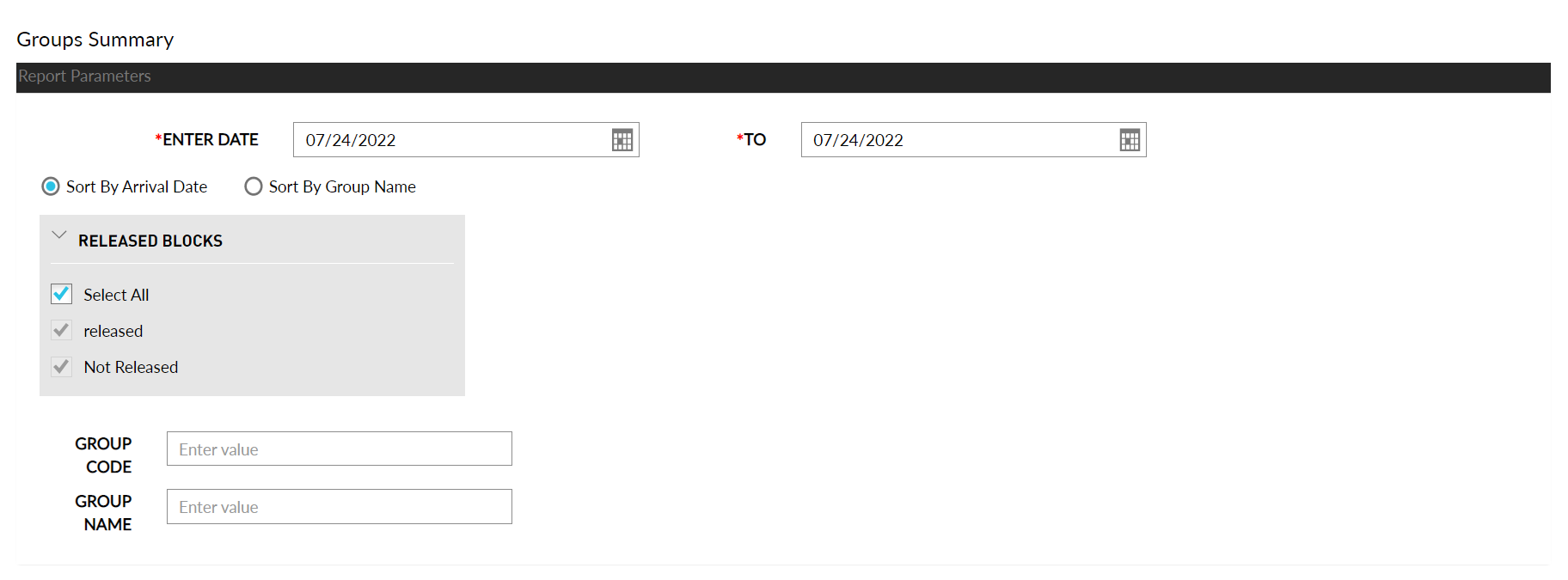
Select the date range from the calendar to generate dates for the report.
Choose which sorting options to include in the report:
|
Field |
Description |
|---|---|
|
Sort by Arrival Date |
Sorts the report alphabetically by arrival date. |
|
Sort by Group Name |
Sorts the report by group name. |
Choose the following release block options to include in the report:
|
Field |
Description |
|---|---|
|
Select All |
Includes both released and not released blocks. |
|
Released |
Includes only the released blocks. |
|
Not Released |
Includes only the not released blocks. |
Enter the unique code of group in Group Code field.
Enter the name of the group in Group Name field.
Click Generate. The report with the selected data appears.
Click Print to send a copy of the report to the printer.
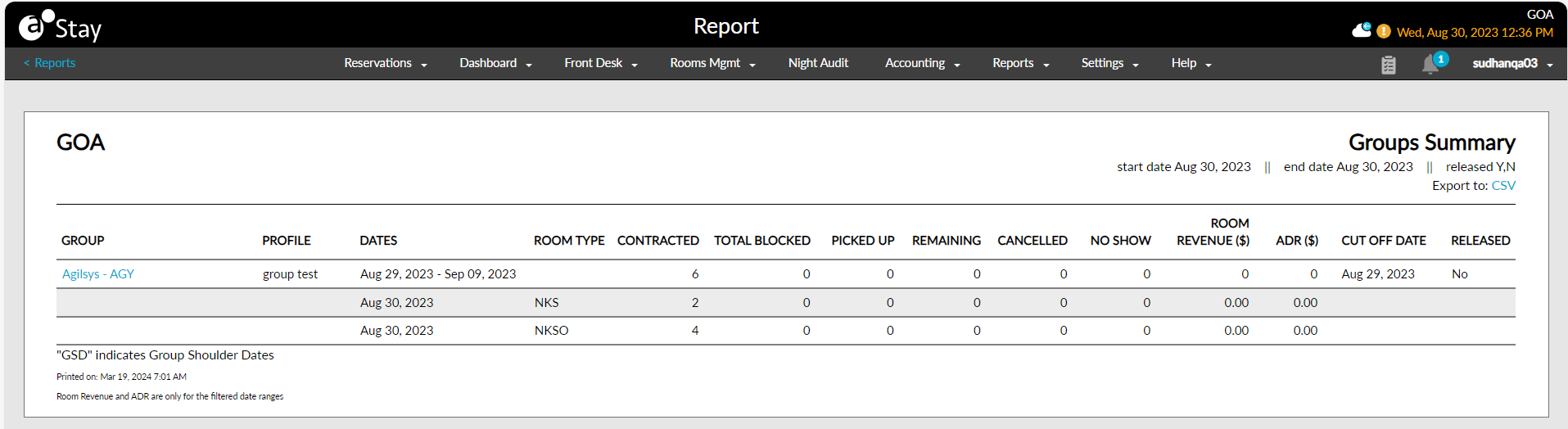
Sample Report
Report Parameters
This report displays the following parameters:
|
Field |
Description |
|---|---|
|
Group |
The name used to book the group reservation. |
|
Profile |
The name of the profile. |
|
Dates |
The dates from and till which the group has booked its stay. |
|
Room Type |
The type of room. |
|
Contracted |
Displays the contract value configured for each room type. |
|
Total Blocked |
The total number of blocked rooms for each group. |
|
Picked Up |
The number of rooms that have been picked up from the group block. |
|
Remaining |
Indicates the number of rooms that are remaining in the group block. |
|
Cancelled |
Indicates if the group has any cancellations |
|
No Show |
Indicates if there were any guests that did not show up from the group. |
|
Room Revenue |
The sum of room postings for the selected date. |
|
ADR |
The average daily rate based on the amount of room revenue for the selected date and rooms committed. |
|
Cut Off Date |
The date agreed upon between a group and a hotel after which all unreserved rooms in the group's block will be released back to the general availability. |
|
Released |
Indicates if the group block has been released. |